

RE: [External] - Re: sqlalchemy.exc.OperationalError: (sqlite3.OperationalError) disk I/O error - Mailing list pgadmin-support
| From | Vijayan, Vipin |
|---|---|
| Subject | RE: [External] - Re: sqlalchemy.exc.OperationalError: (sqlite3.OperationalError) disk I/O error |
| Date | |
| Msg-id | AM0PR01MB43239851EDB8C0E944AD25C58B962@AM0PR01MB4323.eurprd01.prod.exchangelabs.com Whole thread |
| In response to | Re: sqlalchemy.exc.OperationalError: (sqlite3.OperationalError) disk I/O error (Dave Page <dpage@pgadmin.org>) |
| List | pgadmin-support |
Hi Dave,
Thanks for your response.
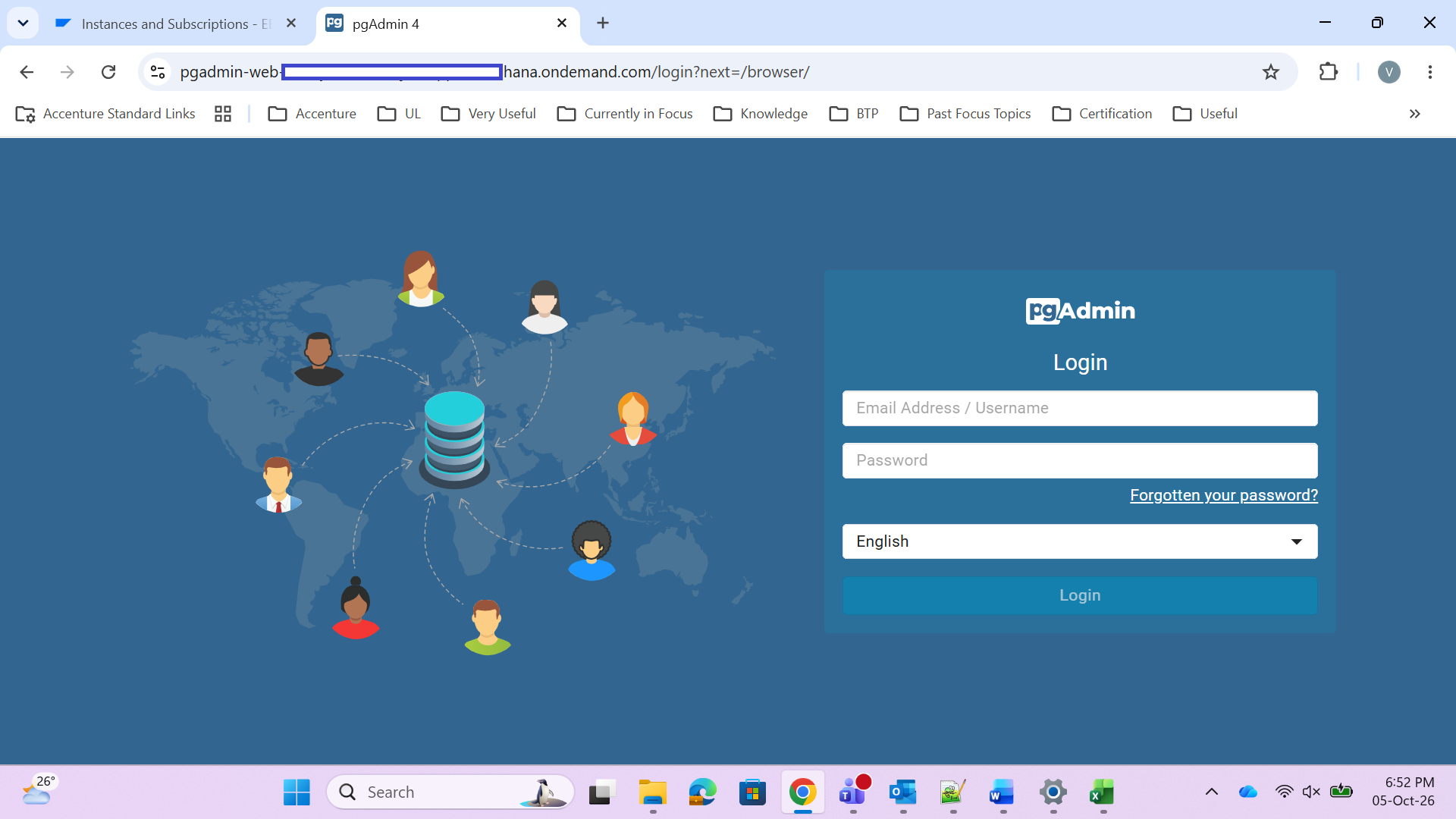
I was able to get pgadmin up & running, sharing the fix I made for it to be useful for others.
Following is the updated manifest.yml file content –
name: pgadmin-web
memory: 1G
disk_quota: 1G
docker:
image: dpage/pgadmin4:9.18
ports:
- port: 8080
health-check-type: http
health-check-http-endpoint: /
random-route: true
env:
PGADMIN_DEFAULT_EMAIL: xxx
PGADMIN_DEFAULT_PASSWORD: xxx
PGADMIN_LISTEN_PORT: "8080"
Post above changes I also could notice - pgAdmin Docker container was listening on port 8080, while the CF route was initially mapped to port 80; CF therefore could not reach the application. Changing the route destination to port 8080 and restarting the pgadmin app brough up a working pgAdmin UI by using following commands in BTP CLI–
cf curl -X PATCH /v3/routes/<guid2> /destinations -d '{
"destinations": [
{
"app": {
"guid": "<guid1>,
"process": {
"type": "web"
}
},
"port": 8080,
"protocol": "http1"
}
]
}
Where guid1 from cf app pgadmin-web --guid
guid2 from cf curl /v3/apps/<guid1>/routes
Regards,
Vipin.
From: Dave Page <dpage@pgadmin.org>
Sent: 2 October, 2026 2:45 PM
To: Vijayan, Vipin <Vipin.Vijayan@unilever.com>
Cc: pgadmin-support@lists.postgresql.org; P-N, Pradeep <Pradeep.P-N@unilever.com>; M, Kishore <Kishore.M@unilever.com>; Sivanandham, Vishnu <Vishnu.Sivanandham@unilever.com>
Subject: [External] - Re: sqlalchemy.exc.OperationalError: (sqlite3.OperationalError) disk I/O error
On Fri, 2 Oct 2026 at 09:36, Vijayan, Vipin <Vipin.Vijayan@unilever.com> wrote:
Hi,
Greetings.
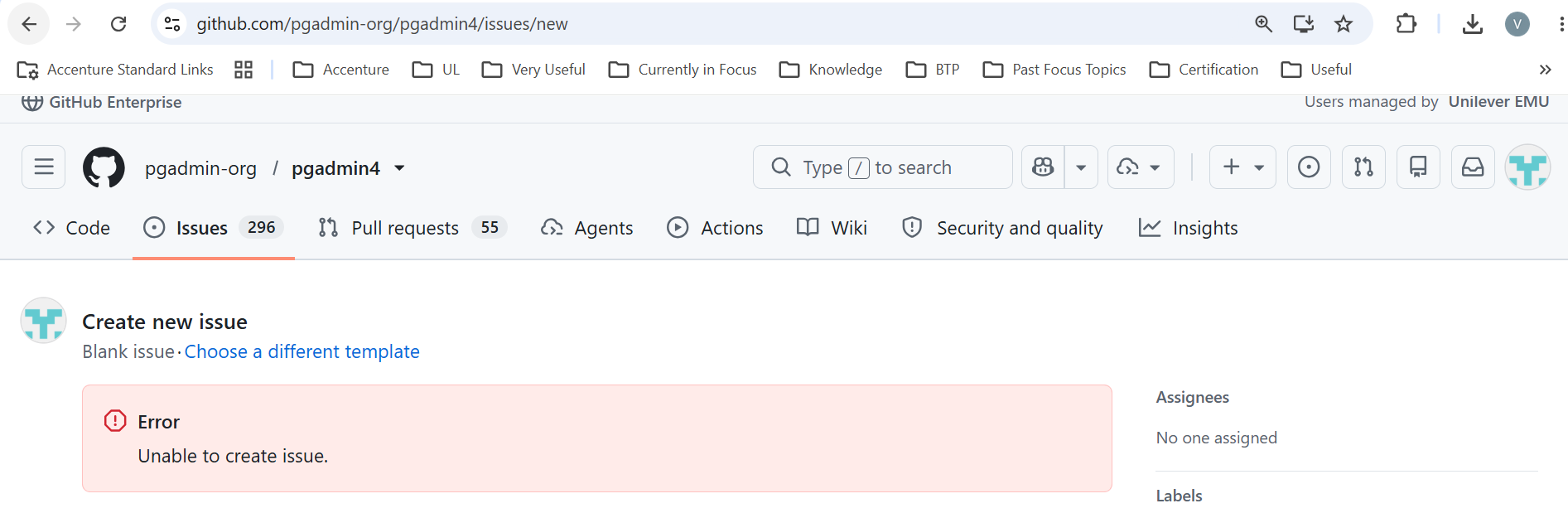
I looked into existing issues and couldn’t find the below issue also attempted to create an issue however was getting message Error unable to create issue, hence sending email.
While deploying pgadmin onto SAP BTP CF Subaccount getting attached error.
Here is the yml file content -
---
applications:
- name: pgadmin-web
memory: 1G
disk_quota: 1G
health-check-type: process
docker:
image: dpage/pgadmin4:latest
random-route: true
env:
PGADMIN_DEFAULT_EMAIL: admin@admin.com
PGADMIN_DEFAULT_PASSWORD: admin123
Anything I need to check please suggest and more than willing to make it work.
Regards,Vipin.
Hi Vipin,
The key line is sqlite3.OperationalError: disk I/O error, raised when pgAdmin first writes to its SQLite configuration database in /var/lib/pgadmin. The container's filesystem is refusing the write, so it is an environment problem rather than a pgAdmin bug. You can ignore the sudo warning: it only affects the mail relay.
A few things to try:
1. Raise disk_quota to 2G or more. On Cloud Foundry the quota has to hold the unpacked Docker image as well as runtime data.
2. As a quick test, point SQLite at /tmp by adding PGADMIN_CONFIG_SQLITE_PATH: "'/tmp/pgadmin4.db'" under env. Note the inner quotes: the value is read as a Python literal. If it starts, the problem is that particular path on that platform.
3. For a lasting fix, keep the configuration in PostgreSQL instead. Cloud Foundry does not keep a container's local disk across restarts, so with SQLite you would lose your users and saved servers every time the app restarts. Bind a PostgreSQL service and set PGADMIN_CONFIG_CONFIG_DATABASE_URI: "'postgresql://user:password@host:5432/pgadmin'". See https://www.pgadmin.org/docs/pgadmin4/latest/container_deployment.html
Separately, please change PGADMIN_DEFAULT_PASSWORD from admin123 before this goes anywhere reachable, since random-route puts the app on a public URL.
Regards, Dave
--
Dave Page
pgAdmin: https://www.pgadmin.org
PostgreSQL: https://www.postgresql.org
pgEdge: https://www.pgedge.com
IMPORTANT NOTICE: This email and any attachments may contain information that is confidential and privileged. It is intended to be received only by persons entitled to receive the information. If you are not the intended recipient, please delete it from your system and notify the sender. You should not copy it or use it for any purpose nor disclose or distribute its contents to any other person.
Attachment
pgadmin-support by date: